
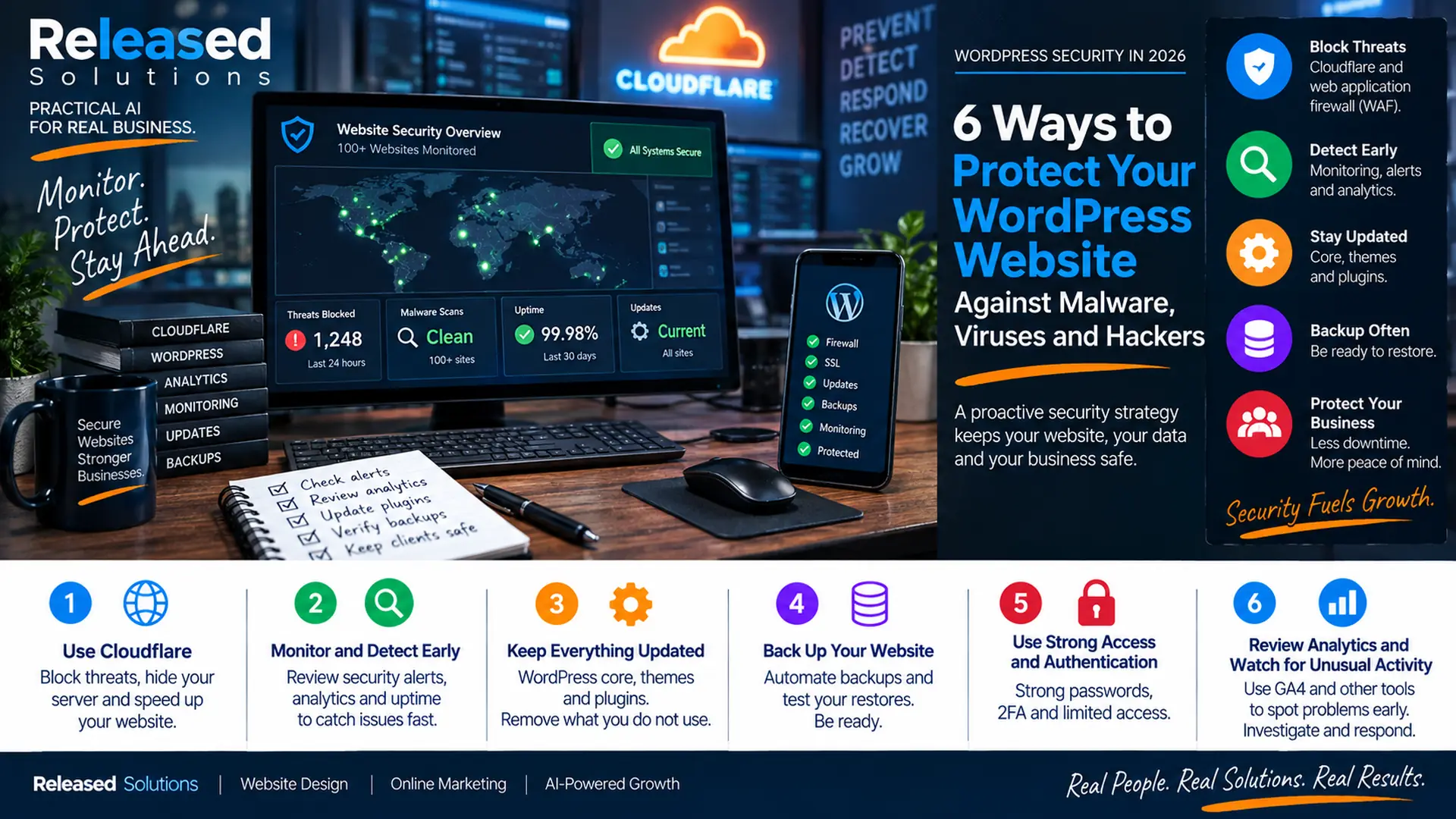

WordPress Security in 2026: 8 Ways to Protect Your Website Before a Threat Becomes a Crisis
When I originally wrote about protecting WordPress against malware, viruses and hackers, it was easy to frame security as a list of things a site owner could install or turn on. I would not frame it that way today.
WordPress security is an operating discipline. The goal is not to find one plugin that makes the website safe. The goal is to reduce the attack surface, place protection in front of the site, keep the software current, watch for warning signs, detect problems early, maintain recoverable backups and know what to do when something does not look right.
That is how I approach the websites I help manage. Across more than 100 websites, I receive a daily threat assessment so I can stay on top of emerging problems instead of waiting for a customer to tell me a site is behaving strangely. I also review GA4 and other analytics data, vulnerability information and public security resources as part of the broader picture. No one signal tells the whole story. Security works in layers.
My framework is: REDUCE → PROTECT → MONITOR → DETECT → RESPOND → RECOVER → IMPROVE.
It is a maintenance rhythm. Cloudflare, updates, monitoring, backups and a response plan work together as an operating discipline.
What Cloudflare Actually Gives You on the Free Plan
Cloudflare is one of the first layers I recommend for many small-business websites. When a site is proxied through Cloudflare, Cloudflare can sit between visitors and the origin server. That creates opportunities to absorb or challenge malicious traffic before it reaches WordPress. Cloudflare currently provides automatic DDoS protection on all plans. Its Free plan also includes Universal SSL, CDN, DNS, a Free Managed Ruleset for its Web Application Firewall and Bot Fight Mode. That is a significant baseline for a no-cost plan, and the paid plans add broader controls.
| Cloudflare Free plan capability | What it does at the edge |
|---|---|
| DNS + Proxy | Authoritative DNS and the proxy that puts Cloudflare between visitors and the origin. |
| Universal SSL | Automatic certificates for the apex and first-level subdomains on proxied records. |
| Unmetered DDoS protection | Filtering of volumetric attack traffic at the network edge on all plans. |
| Free Managed Ruleset (WAF) | A subset of the larger Cloudflare Managed Ruleset covering common web threats. |
| Bot Fight Mode | Challenges obvious automated abuse; advanced bot controls vary by plan. |
The edge can absorb bad traffic. It cannot make an abandoned vulnerable plugin safe, undo a stolen administrator password or replace backups. Use it as part of a layered architecture. See SSL and HTTPS in 2026 for how it fits with HTTPS specifically.
Layers, Not Plugins
No single plugin makes a WordPress site safe. Edge, WordPress, hosting, access, backups and monitoring stack together.
Detection Beats Cleanup
Finding a problem quickly is worth more than finding it thoroughly. Every hour it goes undetected is another hour to react.
Rhythm, Not Emergencies
Security is a maintenance cadence. Updates, reviews and monitoring should happen on a schedule, not on a panic.
REDUCE, PROTECT, MONITOR, DETECT, RESPOND, RECOVER, IMPROVE
Eight Layers of WordPress Security in 2026
PUT CLOUDFLARE IN FRONT OF THE WEBSITE
Cloudflare is not simply an SSL certificate provider. When a website is proxied through Cloudflare, malicious traffic can be absorbed or challenged before it reaches WordPress. The Free plan currently includes Universal SSL, DNS, CDN, unmetered DDoS protection, the Free Managed Ruleset and Bot Fight Mode; paid plans add broader WAF, advanced bot controls and richer security analytics. Think of Cloudflare as the edge layer: it reduces unwanted traffic and makes the origin harder to reach directly, but it does not eliminate the need to secure WordPress itself.
KEEP WORDPRESS CORE, PLUGINS AND THEMES UPDATED
One of the simplest security recommendations is also one of the most important: keep the software current. WordPress.org recommends keeping plugins and themes on their latest versions and supports per-item automatic updates. WordPress also applies many maintenance and security updates automatically. In July 2026, for example, WordPress 7.0.2 was released as a security update addressing critical and high-severity issues, and WordPress enabled forced automatic updates for affected versions because of the severity. Maintain a current backup and understand whether the change needs testing before updating.
REDUCE THE PLUGIN AND THEME ATTACK SURFACE
Every plugin or theme you install adds code to the environment. That does not mean plugins are bad: WordPress would not be WordPress without its ecosystem. It means every add-on should earn its place. Review what is installed, what is active, whether it is still supported, whether the business still needs it and whether there is a known vulnerability affecting the installed version. If a plugin is no longer needed, remove it. If a plugin appears abandoned, investigate a supported replacement. If premium software was installed from an external source, confirm its updater and license are still working.
PROTECT ADMINISTRATIVE ACCESS
Many attacks do not need a sophisticated software exploit if an attacker can simply obtain valid credentials. Use strong, unique passwords. Use two-factor authentication where practical. Limit administrator accounts. Give users only the capabilities they actually need. Remove accounts that are no longer required. Protect the email accounts connected to administrative users because password-reset workflows can become another path into the site. See what your business should own before hiring an agency for how to structure account ownership.
MONITOR FOR THREATS BEFORE THE WEBSITE LOOKS BROKEN
Early detection matters because a compromised website does not always announce itself with a dramatic defacement. A problem can begin with a changed file, an injected script, a new administrator, a malicious redirect, an unexpected scheduled task, unusual bot activity or spam pages the business owner has never seen. Across the 100-plus websites I work around, I receive a daily threat assessment: the point is not to create panic every morning, it is to create visibility. WordPress's hardening guidance specifically discusses file-integrity monitoring, external website monitoring and maintaining knowledge of the state of the installation.
USE ANALYTICS AS A SECONDARY EARLY-WARNING SIGNAL
I also review GA4 and other analytics data. Analytics is not an intrusion detection system: it does not replace Cloudflare security events, server logs, malware scanning, file-integrity monitoring or vulnerability intelligence. But analytics can reveal that something about the website has changed: an unexplained traffic spike, a strange referral source, unexpected landing pages, a geographic pattern that does not make sense, a sudden collapse in normal traffic or a change in conversion behavior. If GA4 looks strange, investigate. Do not assume GA4 can tell you whether the site has malware.
MAINTAIN BACKUPS YOU CAN ACTUALLY RESTORE
A backup is not useful simply because a backup job says "Success." Know what is being backed up, where it is stored, how long copies are retained and how the site would be restored. Prefer automated backups with enough history to reach a known-good version. For important websites, keep backup storage separated from the live site or otherwise protected so the same incident does not destroy the production site and its recovery path. Periodically test the restore process: the worst time to discover the backup strategy is incomplete is during an incident.
HAVE A RESPONSE PLAN BEFORE YOU NEED ONE
Security is not only prevention. It is also response. The response should be deliberate: confirm the symptoms, preserve useful evidence and logs, restrict or isolate the affected system if necessary, change compromised credentials, identify vulnerable or malicious components, remove malware, patch the entry point, restore from a known-good backup when appropriate, review users and integrations, recheck the site externally, monitor closely after recovery, and document what happened and what should change. An incident should improve the security process, not simply end with the site coming back online.
Security Signals vs Analytics Signals
Security signals catch security problems. Analytics signals catch changes that might indicate a security problem. Use both. Do not confuse them.
| Security signals (primary) | Analytics signals (secondary) |
|---|---|
| Cloudflare WAF and DDoS events. | Unexplained traffic spikes or drops in GA4. |
| Server logs and hosting security alerts. | Strange referral sources. |
| Malware scanners and file-integrity monitoring. | Unexpected landing pages. |
| Vulnerability disclosures (Patchstack, WPScan, CISA KEV). | Geographic patterns that do not match the audience. |
| WordPress security releases and admin activity logs. | Sudden changes in engagement or conversion behavior. |
This is my personal operating practice, not an industry benchmark. The point is visibility: know what changed, know what is being targeted, know whether a vulnerability has been disclosed for software we use.
An Intentional Plugin and Theme Inventory
Do not collect plugins. Maintain an intentional software inventory. Every add-on should earn its place.
| Plugin / theme inventory question | Action |
|---|---|
| Is it still needed? | If not, uninstall (not just deactivate). |
| Is it still supported by the developer? | If abandoned, look for a supported replacement. |
| Is it currently on its latest version? | If not, update or investigate why the updater is failing. |
| Is there a known vulnerability on this version? | Cross-check Patchstack / WPScan / CISA KEV; patch or remove. |
| Is the license/updater working for premium software? | External plugins only show update notices when the developer provides one. |
Backups You Can Actually Restore
Backup software is easy. Recovery is what matters when the incident starts.
Restore what you back up. Store it somewhere the production incident cannot also destroy. Practice the restore before you need it.
Have a Response Plan Before You Need One
An incident should be deliberate. This is the sequence I run when a suspected compromise appears on one of the websites I manage.
| Stage | What to do |
|---|---|
| CONFIRM | Verify symptoms; distinguish incident from misconfiguration or normal activity. |
| CONTAIN | Restrict, isolate or take offline if necessary; preserve evidence. |
| CLEAN | Remove malicious files, users, scheduled tasks, injected content. |
| PATCH | Fix the entry point (plugin, credential, config, hosting). |
| RESTORE | Return to a known-good state from backups or clean components. |
| VERIFY | External scans, functional tests, security signals back to normal. |
| MONITOR | Close attention for days/weeks after; watch for reinfection. |
| DOCUMENT | What happened, root cause, what changed to prevent a repeat. |
Public Threat Intelligence Helps Me Stay Ahead
No single public source is a complete answer. Together, they help me ask the operational question: is something we use becoming a problem before it becomes our problem?
| Public source | What it gives you |
|---|---|
| WordPress.org security releases | Official notices and patch severity. |
| Patchstack vulnerability database | WordPress plugin/theme disclosures with metadata. |
| WPScan vulnerability database | Long-running WordPress vulnerability intelligence. |
| CISA Known Exploited Vulnerabilities | Vulnerabilities confirmed to be exploited in the wild. |
| Cloudflare security docs + blog | Edge-side threat activity and mitigation guidance. |
Daily / continuous: review security alerts, threat assessments, uptime and unusual activity. Regularly: review WordPress, plugin and theme updates; review vulnerability disclosures; remove unused software and accounts. Ongoing: keep Cloudflare, hosting security, access controls, backups and monitoring configured correctly. When analytics look strange: treat GA4 anomalies as a reason to investigate, not proof of an incident. When a vulnerability is disclosed: check whether it affects your sites, understand the severity and exploitation status, then patch, mitigate or remove. After a security event: recover, verify, document and improve. See how to choose a support plan for how this fits into ongoing maintenance.
REDUCE → PROTECT → MONITOR → DETECT → RESPOND → RECOVER → IMPROVE.
Edge + Origin
Cloudflare in front, WordPress hardened behind. The edge absorbs traffic; the origin still needs to be secured.
Updates + Inventory
Current WordPress core, intentional plugin/theme inventory and vulnerability intelligence keep the attack surface manageable.
Monitor + Detect
Daily threat visibility, security alerts and GA4 anomaly checks find problems before customers do.
Backup + Respond
Recoverable backups, incident response and post-incident documentation turn crises into contained events.
The Takeaway
The biggest change I would make to the original version of this article is the mindset. Do not ask what security plugin should I install. Ask what layers help me prevent, detect, contain and recover from a website security problem.
For me, that includes Cloudflare at the edge, current WordPress software, an intentional plugin inventory, strong access controls, vulnerability intelligence, daily threat awareness, analytics review, malware and integrity monitoring, recoverable backups and a response plan.
You cannot promise that a WordPress website will never be attacked. You can make it harder to compromise, easier to detect, faster to contain and much less chaotic to recover from.
Want Help Protecting and Maintaining Your WordPress Website?
Released Solutions helps small businesses strengthen WordPress websites with Cloudflare, maintenance, monitoring, analytics, backups and practical technical support so security becomes part of the operating routine instead of an emergency project.
Want Help Protecting and Maintaining Your WordPress Website?
Released Solutions helps small businesses strengthen WordPress websites with Cloudflare, maintenance, monitoring, analytics, backups and practical technical support so security becomes part of the operating routine instead of an emergency project.
Prefer to start with performance instead of security? See the Google PageSpeed test guide. Related layer: SSL and HTTPS in 2026.
Security is a rhythm. Detect early. Recover cleanly. Improve every time.
Kenneth Durrum, Released Solutions