

Google Is Moving Local Services Ads Into Performance Max: What Local Businesses Need to Know
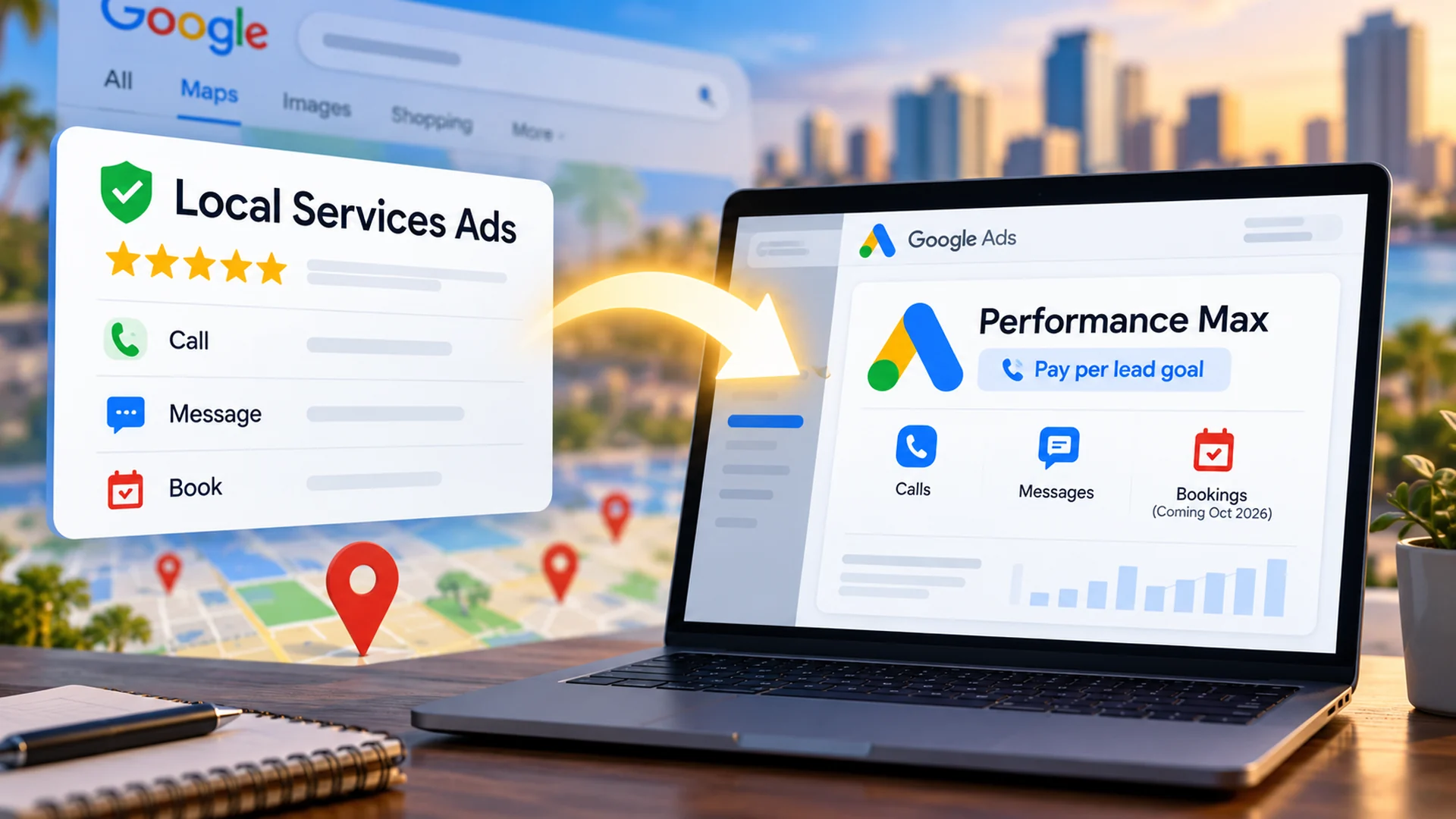
If you manage Google Local Services Ads, seeing the words "Performance Max" in a migration notice can make the change sound much bigger than it actually is. Google is not turning your Local Services Ads into ordinary, click-priced Performance Max campaigns. It is moving LSA management into Google Ads as a specialized Performance Max campaign with a pay-per-lead goal.
That distinction matters. The ads continue to serve in local Search and Maps placements. The campaign remains keywordless. You still pay for valid leads, not ordinary ad clicks. What changes is the control system around the campaign: where you manage it, how the budget is expressed, which bidding controls are available, and where your historical performance data lives.
For a local business, that makes this more than an interface update. It is a good reason to preserve your benchmarks, review your service economics, and make sure you can connect paid leads to appointments, jobs, sales, and revenue.
| The short version The advertising model remains pay per valid lead. The management model moves into Google Ads, and some of the controls and reporting you were used to in the LSA dashboard change with it. |
|---|
What Google Is Changing
Google began migrating selected U.S. home and storefront service advertisers in August 2026. Broader advertiser groups are scheduled for later in 2026, with remaining categories and non-U.S. accounts continuing into 2027. Eligible accounts receive advance notice before the move.
After migration, the separate Local Services Ads dashboard is no longer the primary management interface. You manage the campaign, budget, targeting, lead routing, and responses inside Google Ads.
What Stays the Same
- Pay per valid lead. You are charged for qualifying customer contacts rather than ordinary clicks.
- Search and Maps placement. These specialized campaigns continue to serve in the same local Google Search and Google Maps positions rather than expanding across the full standard Performance Max inventory.
- Keywordless matching. Google continues to use your business categories, services, service areas, schedule, and business information instead of a traditional keyword list.
- Verification continuity. Existing verification status and applicable Google Verified branding transfer with the migration.
- Lead history. Past customer lead records, including contact and conversation history, transfer into the Google Ads Leads experience even though historical performance reports do not.
What Changes
| Area | Before: Local Services Ads | After migration |
|---|---|---|
| Management | Standalone LSA dashboard | Google Ads campaign and Leads interface |
| Budget | Weekly budget | Average daily budget |
| Manual max CPL | Available in some LSA setups | Retired |
| Target CPA by service vertical | Could differ by category | Unified campaign-level Target CPA unless services are separated into campaigns |
| Performance history | Available in LSA reports | Does not transfer to Google Ads |
| Lead history | Available in LSA inbox | Transfers into the Google Ads Leads page |
Your Weekly LSA Budget Becomes an Average Daily Budget
This is one of the changes business owners are most likely to notice immediately. On migration day, Google takes your historical average weekly LSA budget and divides it by seven to create the new average daily budget in Google Ads.
The word average is important. A $100 daily budget does not mean the campaign must spend exactly $100 every day. Google can spend more on higher-demand days and less on slower days. If the average daily budget remains unchanged for the full month, Google calculates the monthly spending limit using the daily budget multiplied by 30.4.
Former weekly budget / 7 = migrated average daily budget. Average daily budget x 30.4 = monthly spending limit when the budget remains unchanged for the full month.
| Former weekly budget | Migrated daily budget | Approx. monthly limit |
|---|---|---|
| $700/week | $100/day | $3,040 |
| $1,050/week | $150/day | $4,560 |
| $2,100/week | $300/day | $9,120 |
If you prefer to think in monthly terms, work backward. A business that wants to spend about $1,500 per month would divide $1,500 by 30.4, which produces an average daily budget of about $49.34.
There is one practical caution: changing the budget during the month changes the way Google calculates the remaining spending limit. The simple daily-budget x 30.4 formula is easiest to use as a planning number when the budget stays consistent throughout the month.
The Bigger Change Is Bidding Control
The budget conversion is easy to calculate. The bidding change deserves more attention.
Manual maximum cost-per-lead bidding is no longer supported after migration. Google also removes vertical-level Target CPA settings inside a single campaign. If you previously allowed one service category to operate at a different target than another, Google can apply one campaign-level Target CPA across those categories.
That can matter when your services have very different economics. A lower-value repair call and a high-value replacement job should not automatically be evaluated as though the leads have identical business value.
If different service categories have materially different margins, close rates, acceptable lead costs, or sales values, consider separating those categories into different campaigns so each campaign can have its own budget and bidding target. Google explicitly supports separate campaigns when you need separate bidding rules by vertical.
Google currently defaults these pay-per-lead campaigns to Maximize Conversions. Its own best-practices guidance says to consider Target CPA only after the campaign is consistently generating more than 15 leads per month and the cost per lead is higher than you want. Google also warns that an overly restrictive Target CPA can reduce delivery and lead volume.
Before Migration, Save the Numbers You Will Want Later
Google is very clear about one thing: your old LSA campaign-level performance reports do not transfer into Google Ads. Past customer lead history transfers, but historical performance reporting does not.
That means the period before migration is your opportunity to preserve a baseline. I would save more than a single screenshot of total spend.
Do Not Stop Measuring at "Lead"
This migration reinforces a principle I use in advertising work: the platform conversion is not the final business outcome.
Google Ads can tell you that a lead was generated, whether it was charged, what type of lead it was, and what the campaign spent. That information matters. But the business still needs to know what happened next.
| Paid lead | Qualified lead | Appointment / estimate | Closed job | Revenue |
|---|
Imagine two leads. One costs $20 and never becomes a real opportunity. Another costs $50 and produces a $4,000 job. Looking only at cost per lead makes the $20 lead appear more efficient. Looking at the business outcome tells a different story.
That is why I want local businesses to monitor valid charged leads, qualification rate, response time, appointments or estimates, booked-job rate, revenue per lead, and cost per booked job. The exact stages will vary by business, but the principle is the same: close the loop.
If your follow-up process is part of the problem, review Lead Nurturing in 2026: Strategy, Automation, AI & Lead Scoring for a practical framework for moving inquiries toward real opportunities.
A Practical Migration Checklist
✓ Watch for the 14-day migration notice and identify the exact account that is moving.
✓ Export or capture historical LSA performance before the old reporting view disappears.
✓ Record your current weekly budget, service categories, service areas, schedule, and bidding targets.
✓ Calculate the expected daily budget by dividing the historical weekly average by seven.
✓ Calculate the planning-level monthly spending limit using daily budget x 30.4.
✓ Review whether service categories belong together financially or should be separated into campaigns.
✓ Confirm your Google Business Profile is accurate because core business information syncs into the campaign.
✓ After migration, verify budget, service areas, business categories, lead routing, ad schedule, and campaign status in Google Ads.
✓ Connect lead outcomes to a CRM, spreadsheet, or reporting system so you can measure booked work and revenue.
✓ Compare post-migration performance against the baseline you saved before the move, allowing for the migration ramp period Google describes.
One More Timing Detail: Booking Leads
Phone calls are a required lead goal for this campaign type, while messages are optional. Google says direct booking leads are optional and become available starting in October 2026. If you are reading this during the September 2026 rollout, do not assume every migrated account already has booking leads available.
Pay per valid lead
Search and Maps placement
Keywordless matching
Verification continuity
The Takeaway
Local Services Ads are not disappearing. Google is moving them into Google Ads and wrapping them in a specialized Performance Max pay-per-lead campaign structure.
For most business owners, the smartest response is not to panic about the words Performance Max. Instead, preserve your historical data, understand the new daily-budget model, review the bidding changes, confirm your campaign settings after migration, and improve the way you measure what happens after each lead.
More automation inside Google makes your own business measurement more important, not less. Google can optimize for valid leads. Your business still has to determine which leads became customers and which advertising dollars created revenue.
| Want help making Google Ads measurable? Released Solutions helps small businesses connect digital advertising, tracking, lead follow-up, and reporting to real business outcomes. The goal is not simply to generate more platform conversions. It is to understand what turns into qualified opportunities and revenue. |
|---|
Explore Released Solutions Digital Marketing Support
Author's closing note: Save the history. Understand the new controls. Measure the outcome after the lead.
Want Help Making Google Ads Measurable?
Released Solutions helps small businesses connect digital advertising, tracking, lead follow-up, and reporting to real business outcomes. The goal is not simply to generate more platform conversions. It is to understand what turns into qualified opportunities and revenue.