
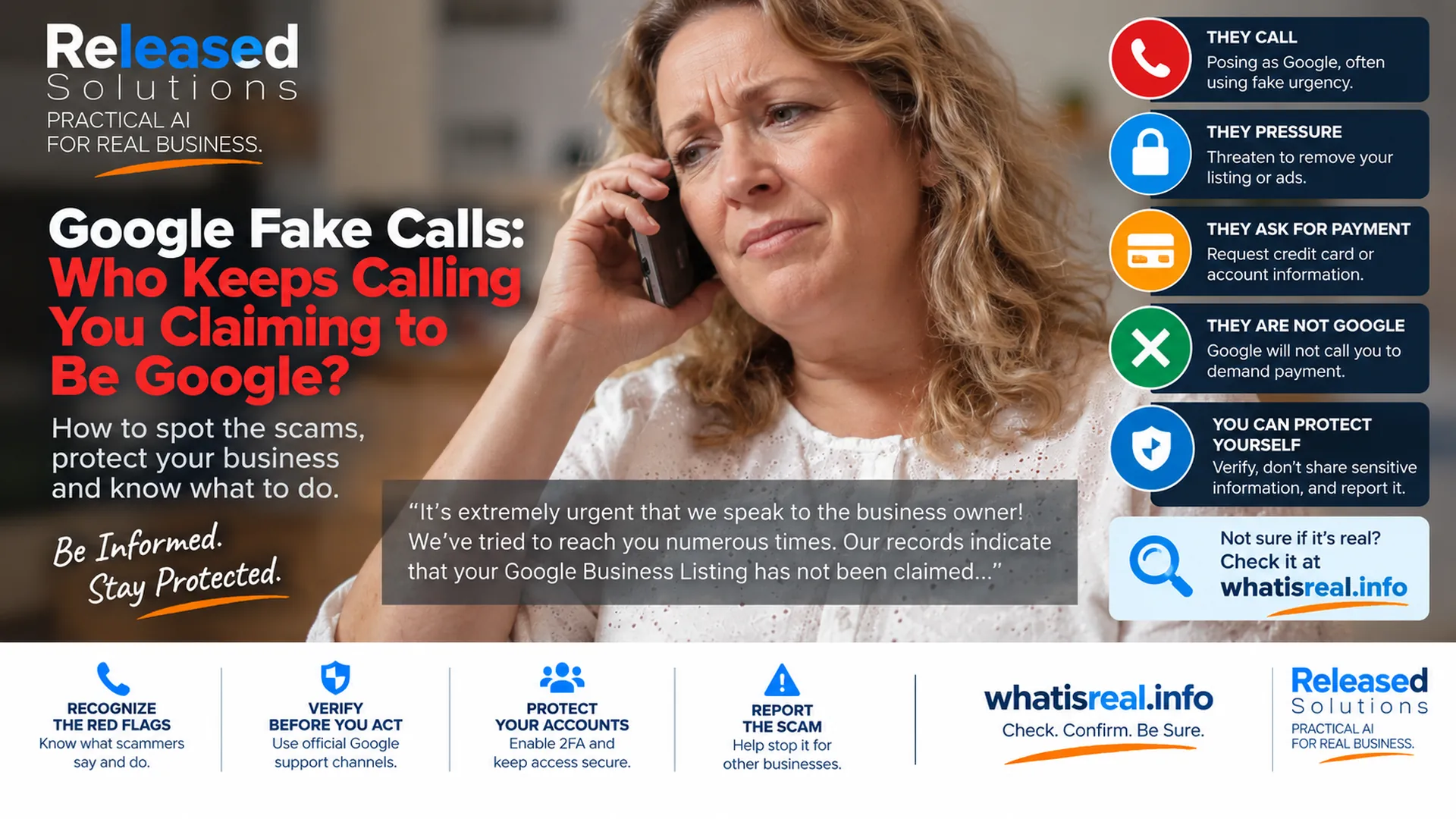

Google Fake Calls in 2026: Who Keeps Calling Your Business Claiming to Be Google?
If you own a small business, there is a good chance you have heard some version of this call:
"It's extremely urgent that we speak to the business owner. We've tried to reach you numerous times. Our records indicate that your Google Business Listing has not been claimed..."
The wording changes. The pressure does not.
The caller may say your Google Business Profile is unverified, suspended, at risk of removal, missing information or about to disappear from search. They may imply they work for Google, with Google or on Google's behalf. The underlying strategy is simple: create urgency before you have time to verify who is actually calling.
This problem is still relevant in 2026. But there is an important complication: Google really can call businesses in certain situations. That means the safest advice is not "Google will never call you." The better rule is STOP / VERIFY / PROTECT / REPORT.
The safest 2026 rule is not "Google never calls." It is STOP / VERIFY / PROTECT / REPORT. Verify behavior and claims independently before you act.
Google Can Call Your Business, but Legitimate Calls Have Limits
Google's current Business Profile documentation says it may use automated calls or texts to confirm business details, assist with customer inquiries, book appointments, check restaurant wait times, confirm prices or availability, or verify information such as business hours. Some calls may come from manual operators for support involving products such as Google Ads, Google Play or other Google accounts.
The distinction is not whether Google can call. It is what the caller does.
| A legitimate Google call may… | A legitimate Google call will NOT… |
|---|---|
| Identify itself as Google and explain the reason for calling. | Refuse to identify itself or dodge verification questions. |
| Confirm business hours, prices, availability or appointment info. | Ask you to sign up for a service, pay money or give personal information. |
| Support a Google Ads, Google Play or Google account issue. | Ask for your Google password, one-time password or PIN. |
| Explain a Business Profile change or clarification. | Threaten to remove your Business Profile unless you pay to keep it. |
| Come from a manual operator for support in certain situations. | Guarantee favorable placement in Google Search or Maps. |
| Be offered at no charge for supported features. | Try to convince you to pay to maintain, verify or reinstate your Business Profile. |
Google warns that fraudulent callers can use untraceable numbers and cloaking tactics. Do not decide a call is legitimate just because the number, business name or caller sounds convincing. Verify independently through your own account and official support paths.
Behavior Over Identity
The caller's claimed identity does not matter. What they ask you to do does. Payment, credentials, urgency, access.
Independent Verification
Hang up. Open your own dashboard through a URL you already know. Verify the claim without touching the caller's link, number or instruction.
Team Policy, Not Owner Reflex
Scammers reach receptionists, employees and virtual assistants. Give the team a simple standing policy before the call happens.
Ten Red Flags, Five Signals, One Verification Habit
10 Red Flags and Safe Moves for Fake Google Calls
RED FLAG: THEY MANUFACTURE AN EMERGENCY
Scammers want the business owner to react before verifying. Common pressure: your listing is about to be removed, your profile is not claimed, customers cannot find you, your verification is expiring, this is our final attempt to reach you, your business will disappear from Google. Do not let the urgency become evidence. A caller saying something is urgent does not prove the caller is Google. Pause the conversation and verify the underlying issue directly through your own Google Business Profile or an official Google support channel.
RED FLAG: THEY WANT PAYMENT TO KEEP YOUR BUSINESS ON GOOGLE
Google's Business Profile guidance is clear: Google does not charge businesses to maintain a Business Profile, and Google says it will never try to convince you to pay to maintain, verify or reinstate the profile. A legitimate marketing company can certainly sell SEO, advertising, website or Business Profile management services. The problem is misrepresentation. Google's own third-party policies prohibit impersonating Google (including through robocalls) and representing no-charge Google products as pay-for-insertion products.
RED FLAG: THEY ASK FOR PASSWORDS, CODES OR SENSITIVE ACCOUNT INFORMATION
Do not give a caller your Google password. Do not provide a one-time password or verification PIN because someone on the phone says they need it to fix your profile. Google specifically warns that it will never ask for a one-time password or PIN in this context. Also be cautious with unexpected access requests. If someone claims they need to become an owner or manager of your Business Profile, verify who they are before approving anything. Your business should retain ownership of its important digital assets even when an agency manages them.
RED FLAG: THEY GUARANTEE PLACEMENT ON GOOGLE
Be skeptical when a caller guarantees a special position in Google Search or Maps. Google says its operators will not guarantee favorable placement in its products, and Google's Business Profile third-party policies prohibit unrealistic claims such as guaranteed top placement. A legitimate agency can explain its strategy, work, reporting and goals. It cannot sell certainty that Google itself does not promise : which is exactly how a healthy digital marketing partnership is supposed to work.
CALLER ID IS NOT ENOUGH
Do not decide a call is legitimate just because the number, business name or caller sounds convincing. Google warns that fraudulent callers can use untraceable numbers and other cloaking tactics. The safest verification method is independent verification. Hang up. Open the account or service yourself. Use a trusted URL, account dashboard or official support path that you already know rather than a link, number or instruction supplied by the suspicious caller. The same principle applies to suspicious emails and text messages.
WHAT A LEGITIMATE GOOGLE AUTOMATED CALL MAY SOUND LIKE
Google says its automated calls identify themselves as being from Google and explain why they are calling. Legitimate purposes can include confirming business hours, helping a customer make a reservation or appointment, checking restaurant wait times, or confirming product or service availability. Google says these services are offered at no charge. The key distinction is behavior. A legitimate informational call is different from a caller using fear to sell a service, demand payment or obtain credentials.
WHAT SHOULD YOU DO WHEN YOU ARE NOT SURE?
Do not argue with the caller. Do not try to outsmart them. Do not press buttons simply because a robocall tells you to. Google's current fraud guidance specifically says that if someone calls pretending to be Google, hang up and do not press buttons in response to the prompt. Then verify: check your Google Business Profile directly, review your Google Ads account directly, check your email for legitimate account notices, use official Google support documentation and ask your trusted marketing or IT partner.
PROTECT THE GOOGLE ACCOUNT BEHIND THE BUSINESS PROFILE
The call itself is only part of the risk. Protect the account that controls the Business Profile. Google recommends strong passwords, secure devices and 2-Step Verification. It also warns businesses not to approve access requests unless they know the person requesting access. If an agency manages your Business Profile, your business should still retain appropriate ownership access. A scammer does not necessarily need to convince you to buy something. Getting account access can be more valuable.
REPORT SUSPICIOUS CALLS
Google asks businesses to report suspicious calls that pretend to be from Google and provides a fraud-reporting process. In the United States, Google's guidance also directs businesses to the Federal Trade Commission and Federal Communications Commission for fraudulent calls and texts. Reporting may not stop every call immediately, but it creates information that platforms and regulators can use to identify abusive patterns. Keep useful evidence when appropriate: the caller's claimed company, contact information, follow-up emails, documents or other details.
TRAIN EVERYONE WHO ANSWERS THE BUSINESS PHONE
A scammer does not need to reach the owner first. They may reach a receptionist, employee, manager, family member or virtual assistant. Give the team a simple policy: do not provide passwords or verification codes, do not approve account access during an unexpected call, do not provide payment information because of an unsolicited threat, do not assume the caller is legitimate because they know the business name, do not click or follow links sent during a suspicious interaction, and escalate unusual account claims to the person responsible for the company's digital accounts.
The Five Red Flags at a Glance
If a caller does any of these, treat the interaction as unverified until you confirm it yourself.
| Red flag | What the caller does | What Google says it will not do |
|---|---|---|
| URGENCY | Presses you to act inside the call. "Final attempt." "Removed today." | Manufacture threats to make you act without verifying. |
| PAYMENT | Demands money to keep, verify or reinstate your Business Profile. | Charge you to maintain your Business Profile. |
| CREDENTIALS | Asks for passwords, one-time codes or PINs. | Ask for your OTP, PIN or account password. |
| GUARANTEES | Promises top placement in Search or Maps. | Guarantee favorable placement in its products. |
| ACCESS | Requests owner or manager access to your profile. | Ask you to hand over ownership on an unverified call. |
Use whatisreal.info When Something Does Not Feel Right
One of the problems AI is creating is that scams are getting easier to produce and harder to recognize by appearance alone. A suspicious message can be grammatically clean. A voice can sound professional. A website can look legitimate. A text can imitate a familiar company. A caller can know enough public information about your business to sound convincing.
That is why Released Solutions created whatisreal.info as a practical verification resource. Stop. Look at what is being claimed. Verify it through independent information. Protect your account and business before taking action.
Check it at whatisreal.info
When a call, message, email or online claim does not feel right, slow the interaction down before you act. whatisreal.info is a Released Solutions verification and education resource. It does not replace Google support, your bank, regulators or law enforcement. It gives you another place to pause and think critically before you respond.
Check What Is RealCheck. Confirm. Be sure.
A Simple Verification Framework
When someone contacts your business claiming to be Google, use four steps.
STOP: do not let urgency control the decision. VERIFY: check the claim independently using the real account and official channels. PROTECT: do not share passwords, one-time codes, payment information or unnecessary account access. REPORT: if the contact is fraudulent, report it to the appropriate platform or regulator and warn the people in your business who may receive the same attempt.
The same framework works for suspicious emails, texts, invoices, account alerts and AI-assisted impersonation attempts.
Stop
Urgency is the tell. Do not decide inside the call.
Verify
Open your own dashboard using a URL you already know.
Protect
No passwords, no OTPs, no payments, no unfamiliar owner requests.
Report
Report to Google and, where applicable, FTC or FCC. Warn your team.
The Takeaway
The fake Google call is still alive. What has changed is the environment around it. Google itself may legitimately contact businesses for specific reasons, so "Google never calls" is no longer a good enough rule.
Instead, pay attention to what the caller wants:
- Are they manufacturing urgency?
- Are they demanding money?
- Are they asking for passwords, one-time codes or sensitive information?
- Are they guaranteeing placement?
- Are they trying to get account access?
- Are they preventing you from independently verifying the claim?
Not Sure If It's Real?
When a call, message, email or online claim does not feel right, slow the interaction down before you act. whatisreal.info is a Released Solutions resource designed to help people examine suspicious claims and verify before responding.
Check. Confirm. Be sure.
Not Sure If It's Real?
When a call, message, email or online claim does not feel right, slow the interaction down before you act. whatisreal.info is a Released Solutions verification and education resource, not a replacement for official Google support, your bank or law enforcement.
Check. Confirm. Be sure.
Stop. Verify. Protect. Report.
Kenneth Durrum, Released Solutions