
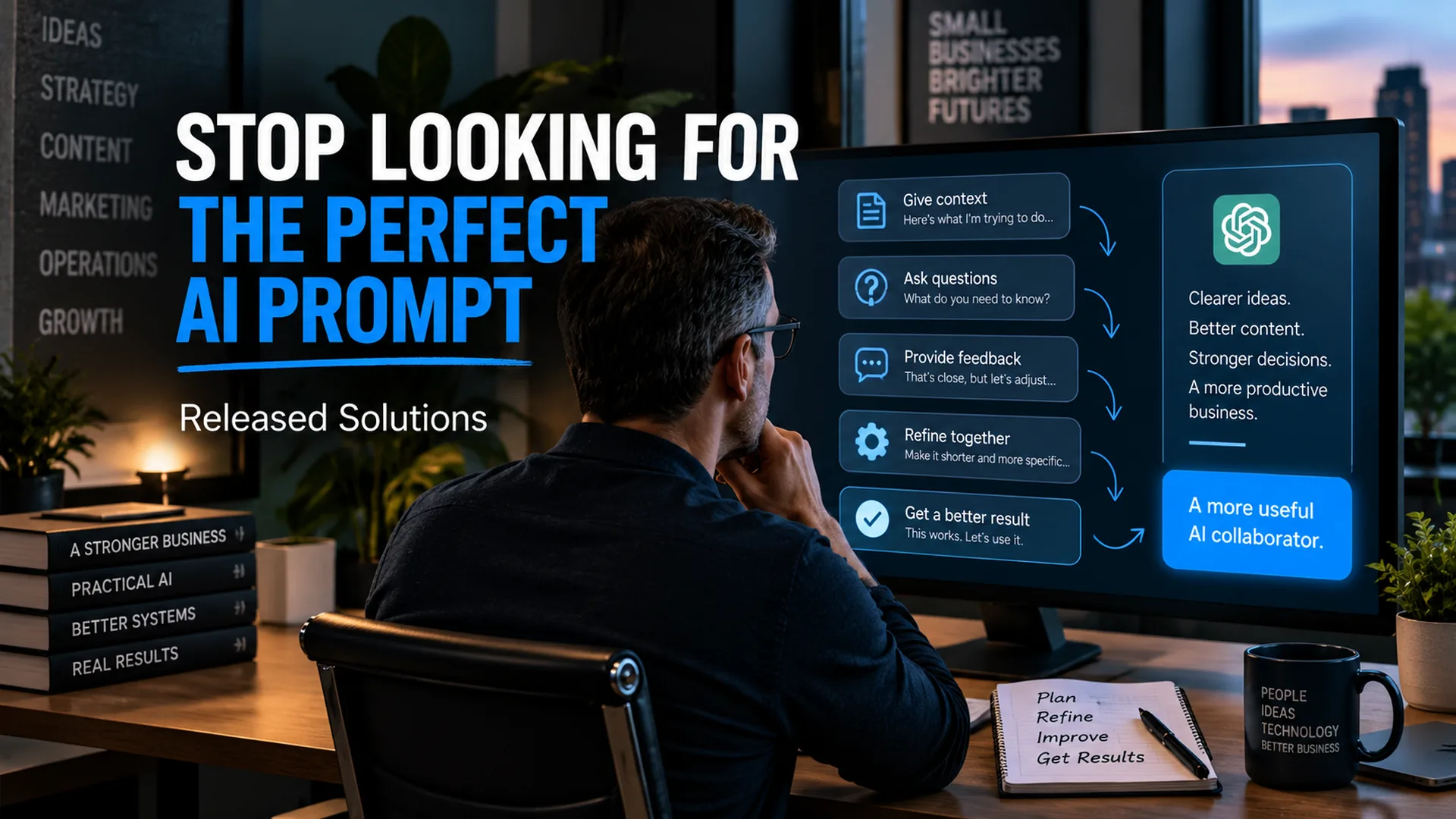

Stop Looking for the Perfect AI Prompt: Learn How to Guide the Conversation
When I first wrote about this subject, I focused on five prompts that could help people guide ChatGPT. The basic idea was right: if an AI response misses the mark, do not simply accept it. Give the AI better direction.
But my own use of AI has changed considerably since then.
Today, I spend much less time worrying about writing the perfect prompt. I have conversations with AI.
I correct it. I challenge it. I tell it when something is exactly right and when something sounds nothing like me. I give it examples. I add context as I remember it. I ask it what I have not told it. Sometimes I ask AI to interview me before it starts working.
That change in perspective matters, especially for small-business owners. You do not need to become a professional prompt engineer to get value from ChatGPT. You need to learn how to communicate the outcome you want, recognize when the response is going in the wrong direction, and guide the conversation toward something useful.
The best AI users are not necessarily the people with the biggest prompt libraries. They are often the people who know how to direct, evaluate, correct, and continue the conversation.
The Perfect Prompt Is Usually Not the Goal
A lot of AI advice makes prompting look like a formula. Add a role. Add context. Specify the output. Add constraints. Use the right sequence of words. Then the perfect answer appears.
Those techniques can help. Clear instructions absolutely matter. But I think the obsession with the perfect prompt can teach the wrong lesson.
If I hired a new employee and said, "Write a marketing plan," I would not expect that person to magically understand my business, customers, budget, goals, history, preferences, and definition of success. I would expect questions. I would provide background. I would review the work. We would make adjustments.
AI works better when I approach it the same way.
A useful starting prompt can be simple: tell the AI the goal, provide the context it needs, describe the output you want, and establish important boundaries. Then start working together.
10 Ways I Guide AI Toward Better Results
These are the ten habits I lean on most when I want AI to be useful, not just fast. Not every principle applies to every conversation. Together they turn a search-box mindset into a working session.
Start With the Outcome, Not Just the Task
Instead of telling AI only what to do, explain what you are trying to accomplish.
"Write an email" describes a task. "Help me write an email that gets a hesitant client to schedule a 20-minute call without sounding pushy" describes an outcome.
That extra information gives AI a reason behind the assignment. It can make better decisions about tone, structure, detail, and what should be emphasized.
Give It the Missing Context
AI can only work with the context available to it. If the response feels generic, the problem may be that the AI does not know enough about the situation.
I routinely provide business background, audience information, previous decisions, examples, constraints, budgets, documents, screenshots, data, or notes from earlier discussions when they are relevant.
This does not mean dumping every piece of information you have into every prompt. It means asking yourself what a capable coworker would need to know to do the assignment well.
Correct the Misunderstanding Instead of Starting Over
When AI misunderstands me, I usually correct the misunderstanding rather than abandon the conversation.
I might say, "That is not what I meant. I am not asking you to explain why the number changed. The client is concerned about the threshold itself. Rework the answer from that perspective."
That correction is useful because the conversation already contains context. Starting a completely new chat can throw away information that was still valuable.
Challenge the Answer
One of my favorite uses of AI is asking it to argue with me.
If I am making a business decision, developing a strategy, reviewing an argument, or planning a project, I do not always want agreement. I want to know what I may have missed.
I ask questions such as: What is the strongest argument against this? Where is my reasoning weak? What would a skeptical client ask? What assumption am I making that could be wrong?
AI should not replace judgment, but it can be very useful for pressure-testing judgment.
Tell It What Worked
Correction is useful, but positive direction matters too.
If a paragraph sounds exactly like me, I tell the AI to preserve it. If the structure is right but the tone is wrong, I separate those two pieces of feedback. If one example is particularly strong, I identify what made it strong.
Instead of saying only, "I like this," tell the AI what you like about it. That gives the conversation a clearer direction.
Ask AI to Interview You
Sometimes I know there is information in my head that has not made it into the prompt. Instead of trying to anticipate everything, I ask AI to interview me.
I use this when developing business systems, planning projects, preparing marketing strategies, organizing client discovery, and even working through my own ideas. AI can ask questions one at a time, identify gaps, and help turn an incomplete idea into a usable specification.
This changes AI from an answer machine into a discovery partner.
Show It What Good Looks Like
Examples are powerful.
If I want a report to follow an existing format, I provide the previous report. If I want writing to sound more like me, I provide examples of writing that sounds right. If I am building a website or business system, screenshots, documents, existing workflows, and reference materials can dramatically improve the conversation.
Explaining what you want is useful. Showing what you mean can be even better.
Set Rules and Boundaries
Good AI direction includes what the system should not do.
I regularly specify things such as audience, word count, terminology, formatting, claims that require verification, facts that should not be invented, confidential information that should not appear, and decisions that require human approval.
Boundaries become even more important when AI moves from casual brainstorming into real business work.
Iterate Instead of Treating the First Answer as Final
The first response is often a starting point.
I may ask AI to shorten something, expand one section, remove repetition, change the audience, challenge a conclusion, add missing context, compare alternatives, or reorganize the entire approach.
The important change is psychological: I do not judge AI solely by whether the first answer is perfect. I judge the process by how efficiently we can reach a result I am willing to use.
Know When the AI Needs to Be Verified
AI can be extremely useful and still be wrong.
I am comfortable using AI to accelerate research, analysis, writing, development, planning, and problem solving. I am not comfortable assuming that confidence equals accuracy.
Current facts can change. Statistics need sources. Product features and prices change. Technical documentation changes. Legal, medical, financial, and other consequential matters deserve additional scrutiny. Code needs testing. Business recommendations still need human judgment.
AI can help you verify its own work by locating sources, identifying assumptions, or creating a QA checklist, but responsibility for the final decision still belongs to the person using it.
The Caveman Marketing Quiz
How much of your marketing is still hunting by hand?
Rate 15 statements and see which of five stages your marketing is in, from The Hunter to The AI-Augmented Entrepreneur.
Feedback, Memory, and Model Training Are Not the Same Thing
This is one area where I want to update something from my original article.
When you correct ChatGPT during a conversation, that correction can immediately improve the direction of the current exchange because the conversation now contains better information.
But it is worth being precise about the three different layers of feedback most small-business users encounter with ChatGPT today.
Guiding the Current Conversation
When you correct, redirect, or add context inside a chat, ChatGPT can act on that immediately. It is not learning about you globally. It is working with better information inside this session. Close the tab, and much of that context is gone unless you saved it somewhere.
Memory and Personalization
When Memory is turned on, ChatGPT can carry useful context from past chats, files, and connected apps into future conversations. That is personalization, not the same thing as retraining the underlying AI model. You can view what has been remembered, edit it, and turn Memory off.
Broader Model Training and Data Controls
Separately, OpenAI provides Data Controls that determine whether new conversations may be used to improve their models. Users can turn off "Improve the model for everyone." Explicit product feedback such as thumbs up or thumbs down may still be used for training even when general training is off. Temporary Chats do not appear in history, do not use or create memories, and are not used for training.
Four Habits Behind Every Ten of These Principles
You do not have to memorize ten prompts. If you take four habits into every AI conversation, most of the principles above start showing up on their own.
Direction
State the outcome you want, not just the task. AI decides better when it knows what "done" looks like.
Context
Share what a capable coworker would need to know. Background, audience, constraints, previous decisions.
Iteration
Correct and expand instead of starting over. The conversation already contains context worth keeping.
Verification
Confidence is not accuracy. Verify facts, sources, and consequential claims before you act on them.
You Do Not Need a Library of 1,000 Prompts
Prompt collections can be useful. I save ideas too. But collecting prompts is not the same thing as learning how to work with AI.
A copied prompt cannot know your customer. It does not know why last month's campaign failed. It does not know the conversation you had with your business partner yesterday. It does not know which paragraph sounds like you and which one makes you cringe.
That is the part you bring.
In my own work, AI has become useful because the conversation gets richer. I can start with an incomplete idea, add information, challenge the response, upload supporting material, ask for questions, correct assumptions, and keep refining until the work is useful.
That is a much more durable skill than memorizing the latest prompt formula.
Treat AI More Like a Coworker and Less Like a Search Box
This is the lesson I wish more small-business owners understood.
If you type seven words into ChatGPT and receive a generic answer, you have not necessarily discovered the limits of AI. You may have discovered what happens when a capable assistant is given seven words of instruction.
Give it a job. Give it context. Review the work. Correct it. Challenge it. Show it examples. Establish boundaries. Ask it questions. Let it ask you questions.
Then decide whether the result is good enough to use.
That is the workflow.
And it is why I believe communication is one of the first AI skills a business owner should learn. Before automation, agents, integrations, or advanced AI systems, learn how to have a productive conversation with the technology.
The Takeaway: Better Direction Creates Better AI Work
I still believe what I was trying to say in the original version of this article: your feedback matters.
I would simply say it differently today.
You do not need to obsess over writing the perfect prompt. Start with a clear goal. Give AI enough context to understand the assignment. Then participate in the work.
Correct what is wrong. Preserve what is right. Ask harder questions. Invite the AI to ask you questions. Verify what matters.
The goal is not to become great at prompting.
The goal is to become great at getting useful work done with AI.
If you want to see how I put this to work every day, take a look at how I use AI to build websites and business systems.
Want Help Finding Where AI Fits in Your Business?
At Released Solutions, I help small-business owners look past the hype and identify practical ways to use AI, automation, digital marketing, websites, and connected systems to solve real business problems.
If you know AI could help your business but are not sure where to start, let's have a conversation about the work you are already doing and where the right technology can make it easier.
The more I use AI, the less interested I become in showing people clever prompts.
I would rather show them how to think with the tool, challenge it, teach it the assignment, and remain responsible for the result. That is when AI starts becoming useful.
Kenneth Durrum, Released Solutions