

How to Learn AI for Your Small Business Without Getting Overwhelmed
AI has a learning problem.
Not because there is not enough information available. There may actually be too much.
Every week there is another AI model, another feature, another YouTube tutorial, another collection of prompts, another automation platform, and another person telling you that this is the tool that is going to change your business.
For a small-business owner, that creates a strange problem. You know AI is becoming important. You know you probably need to understand it. But where exactly do you start?
And more importantly: how much of this stuff do you actually need to learn?
I recently came across an excellent resource collection from Aniket Chhetri's Grow With AI. He assembled 50 free Claude learning resources covering prompting, Claude Code, Cowork, Skills, MCP and integrations.
It is a tremendous collection. But as I looked through it, I found myself thinking about the business owners I work with.
Most of them do not need 50 resources. At least not yet.
They need a learning path.
Because learning AI is not about consuming everything you can find. It is about learning enough to solve the next real problem in your business.
Stop Trying to "Learn AI"
This may sound strange, but I do not think most business owners should make "learning AI" their goal. That is too broad.
Imagine saying: "I need to learn the Internet." Where would you even start? Websites? Email? Google? Social media? Ecommerce? Advertising? Analytics?
AI is becoming the same kind of technological layer. Instead, start with a business problem.
Maybe you spend two hours every Monday preparing a report. Maybe you struggle to consistently create marketing content. Maybe customer emails keep asking the same questions. Maybe you have spreadsheets full of information but do not know what the numbers are telling you. Maybe you repeatedly create proposals, estimates, meeting summaries or follow-up messages.
Start there.
Your first AI lesson should solve something you already do. That changes AI from an interesting technology into something much more useful: a coworker.
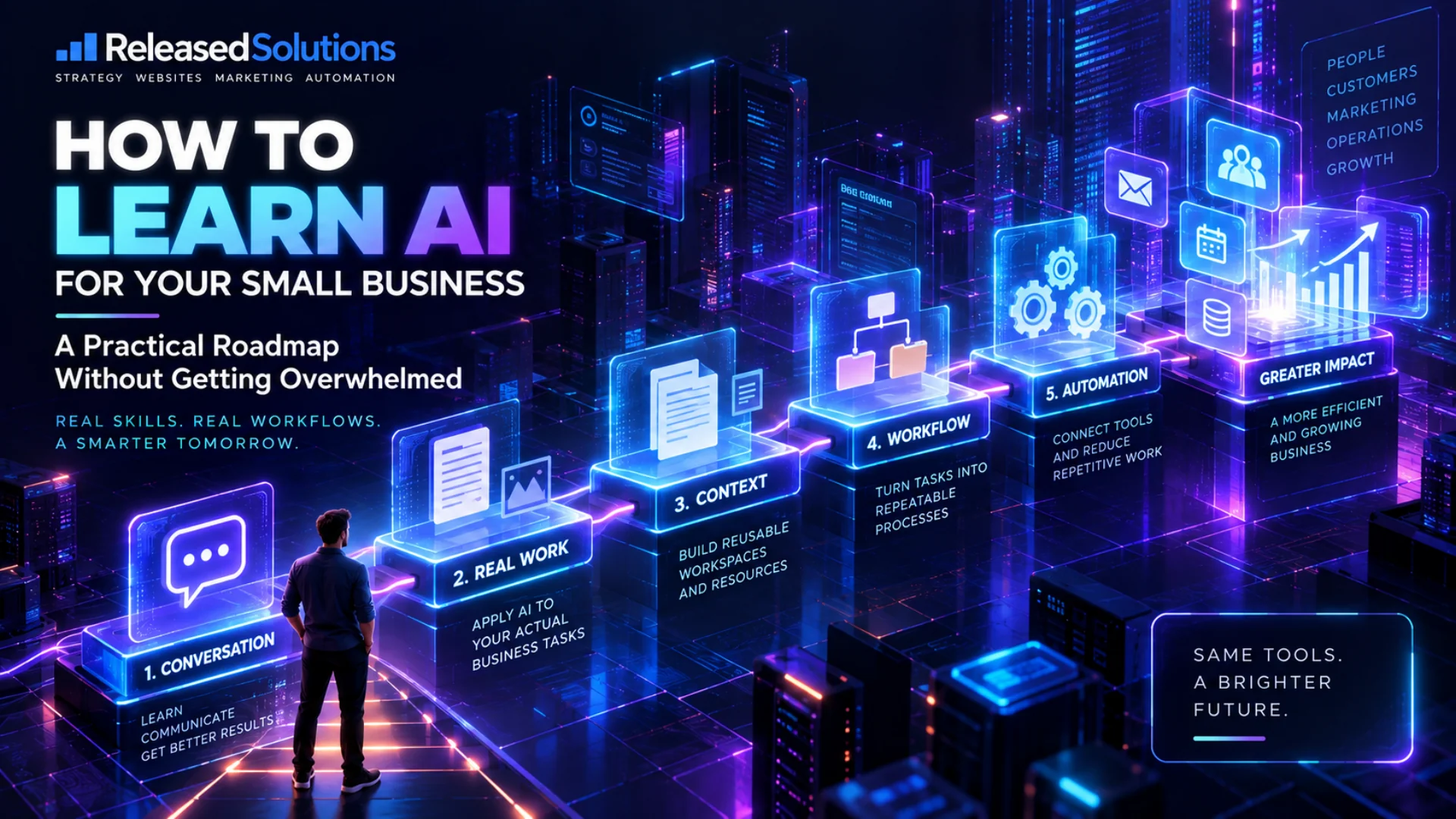
The Five Stages of Learning AI for Business
I would organize the small-business AI learning journey into five stages. You do not need to complete them in a weekend. In fact, you should not. Learn one stage. Use it. Find something useful. Then move forward.
Stage 1. Learn How to Have a Good Conversation With AI
The first skill is not automation. It is not coding. It is not building an AI agent. It is communication.
A lot of people try ChatGPT or Claude by typing something like: "Write a Facebook post for my business." The AI responds with something generic. They look at the answer and conclude: "AI is not very good."
But the AI knew almost nothing about the assignment. Who are you? What does your company do? Who is the customer? What are you promoting? What tone should it use? What should it not say? What does a successful result look like?
A useful prompt does not have to be complicated. Start with four things: Goal (what do you want accomplished?), Context (what does the AI need to know?), Output (what should the finished result look like?), and Boundaries (what should it not assume, invent or do?).
That alone can dramatically change the quality of the result. And you do not have to get the prompt perfect the first time. Talk to the AI. Correct it. Tell it what you do not like. Give it an example. Ask it what information it still needs.
This is why I often describe AI as a coworker rather than a search box. You do not normally walk up to a new employee, give them seven words of instruction and expect perfect work. AI works better when you stop treating it that way too.
Stage 2. Put AI to Work on Something You Already Do
Once you understand the conversation, resist the temptation to spend the next month collecting prompts. Pick one actual business task.
Examples include turning meeting notes into an action list, drafting customer follow-ups, analyzing a spreadsheet, creating a marketing calendar, rewriting website content, summarizing a long report, comparing vendor proposals, creating an employee checklist, researching a business decision, or turning rough ideas into a professional document.
The important part is that the task should be real. Not a demonstration or something invented just to play with ChatGPT. Something you were going to do anyway.
Then compare the AI-assisted process with your old process. Did it save time? Did it improve the result? Did it help you see something you missed? What still required your judgment?
That is where the real learning happens. You are not just learning what AI can do. You are learning where AI belongs in your business.
Stage 3. Stop Repeating Yourself and Build Reusable Workflows
After using AI for a while, you will notice yourself giving it the same instructions repeatedly. You will explain your company again, your audience again, upload the same documents again, and describe the same reporting format again.
That repetition is a signal. You have probably found something that should become a reusable AI workflow.
Modern AI platforms increasingly allow you to organize persistent business context, instructions, files and repeatable processes instead of starting from an empty chat every time.
Imagine an AI workspace for your weekly marketing report that already understands your business, marketing channels, important KPIs, reporting format, historical reports, terminology, goals, and rules about what it should never assume.
Each week, you provide the latest information. Instead of teaching the AI the job again, you are simply giving your coworker this week's work.
The value is not necessarily the individual prompt. The value is creating a process you can use again next Monday.
Then Go Deeper: Automation, Agents, and the Big Lesson
The remaining stages move from "using AI" to "operating an AI-enabled business." They also come with a warning about what to chase (and what not to chase). Here are four ideas to take with you as you move forward.
Four Ideas to Take With You
Two more stages, plus two mindsets that shape how you approach every AI project after this.
04. Learn Automation Only After You Understand the Workflow
05. Explore Agents, Integrations, and Advanced AI
Collect Workflows, Not AI Tools
Start With Free, Trustworthy Resources
The AI Learning Roadmap I Recommend
Six weeks. One stage at a time. No overwhelm.
Learn how to communicate effectively with ChatGPT or Claude. Take three prompts you already use and improve them with a clear goal, business context, desired output, and boundaries. Goal: get consistently better answers.
Choose one task you already perform every week. Use AI to help complete it from beginning to end. Goal: produce something you would actually use.
Create a dedicated Project, workspace, or reusable assistant around that task. Give the AI the stable information it needs so you are not constantly repeating yourself. Goal: make the AI understand the job.
Document the steps involved: what information goes in, what AI does, what a human reviews, and what happens next. Goal: turn a useful conversation into a repeatable business process.
Look for steps that do not require a person every single time. Connect systems where doing so creates a measurable benefit. Goal: reduce repetitive work.
Only now start exploring agents, APIs, MCP, coding tools, advanced integrations, and more autonomous workflows. Goal: build capability based on actual business needs instead of chasing technology.
Don't Collect AI Tools. Collect Successful Workflows.
The businesses that benefit most from AI will not be the ones with the longest tool list. They will be the ones that ask, "What can we do today that we could not do six months ago?" and can answer with real business outcomes.
Some Excellent Free Places to Start
OpenAI Academy offers small-business learning resources covering ChatGPT fundamentals, practical business uses, prompting, research, Projects, and more advanced workflows. Its small-business prompt and workshop resources are useful because they focus on real business work rather than abstract AI exercises.
If you use Claude, Anthropic maintains official documentation and courses covering prompting, Claude Code, Skills, MCP, and other advanced capabilities.
The original Grow With AI collection that inspired this article contains 50 resources for people who want to go deeper into Claude. If you are ready for the rabbit hole, Aniket Chhetri's Grow With AI resource collection is worth bookmarking. Just do not try to consume everything at once. Use what solves the problem in front of you.
And when you get to the automation and advanced-AI stages, remember: capability is only useful if the economics work. Read The Real Cost of AI for Small Business before scaling anything up.
AI Is Moving Fast. Your Learning Doesn't Have To.
There will always be another model. Another feature. Another integration. Another person announcing that everything changed yesterday.
You do not have to chase all of it.
The businesses that benefit most from AI probably will not be the ones whose owners can recite the most AI terminology. They will be the ones that learn how to take a real problem, apply AI intelligently, test the result, improve the workflow, and repeat what works.
Start with a conversation. Give your AI coworker a real job. Teach it how your business works. Build a repeatable process. Then automate what makes sense.
That is a much more manageable way to learn AI. And more importantly, it is a much better way to turn AI into something that actually helps your business.
Not Sure Where AI Actually Fits Into Your Business?
You don't need another list of AI tools. You need to identify the places where AI and automation can genuinely save time, improve your marketing, or make your operation run more efficiently.
Released Solutions helps small businesses turn AI, automation, and digital tools into practical workflows built around the way the business actually operates.