
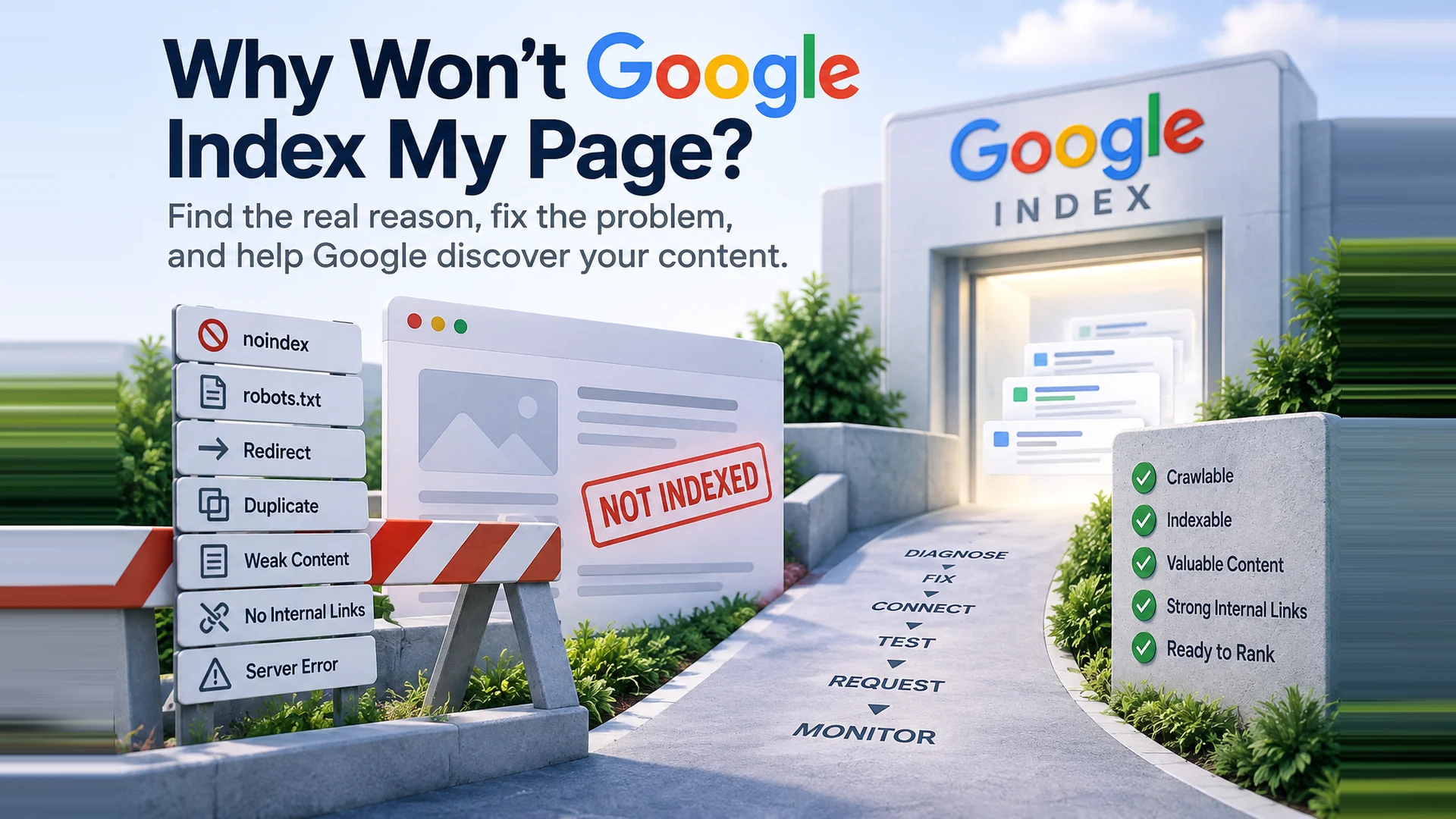

Why Won’t Google Index My Page? How to Find and Fix the Problem
If you are asking, “Why won’t Google index my page?” the answer is usually not that you need to click Request Indexing again. Google may be unable to crawl the page, may see another URL as the canonical version, may have discovered but not yet crawled it, or may have crawled it without adding it to the index. The practical process is to diagnose the reason, fix the underlying issue, strengthen how the page fits into your website, test it, request another crawl when appropriate, and monitor what happens next.
Request Indexing is a useful tool, but it is not a force-index button. Fix the reason first.
Why isn't Google indexing my page?
A page can be excluded from Google's index for technical, structural, duplication, discovery, or content-related reasons. Search Console's Page indexing report separates indexed and non-indexed URLs and gives a reason for many exclusions. Importantly, Google also notes that not every URL on a site should be expected to be indexed. Duplicate URLs, intentionally blocked pages, and removed pages can be correctly excluded.
For an individual page, start with URL Inspection in Google Search Console. That gives you Google's information about the URL and lets you test the current live version.
How do I check why a page isn't indexed?
1. Open Google Search Console and inspect the exact URL.
2. Review the indexing status, page fetch result, indexing permission, and Google's selected canonical.
3. Run Test Live URL to see whether Google can access the current version of the page.
4. Fix the underlying issue before treating Request Indexing as the next step.
The live test is valuable, but it does not predict indexing with 100 percent certainty. Google specifically notes that some conditions, including canonical selection and the “Crawled - currently not indexed” and “Discovered - currently not indexed” states, cannot be fully tested in the live test.
What do the common Google indexing statuses mean?
| Search Console status | What to investigate or fix |
|---|---|
| Blocked by noindex | Remove the meta robots noindex directive or X-Robots-Tag noindex header if the page should be indexed. Then test the live URL. |
| Blocked by robots.txt | Allow Googlebot to crawl the URL if crawling is required. Remember that robots.txt controls crawling, not guaranteed removal from Google's index. |
| Page with redirect | Confirm the redirect is intentional. If this URL should be indexed itself, it needs to resolve as the intended canonical page rather than redirect elsewhere. |
| 404 / soft 404 | Restore useful content at a stable URL when appropriate, or leave a true removed page as 404/410. Do not try to force obsolete URLs into the index. |
| Server error (5xx) | Fix hosting, application, firewall, or server reliability issues so Googlebot can fetch the page consistently. |
| Duplicate / Google chose another canonical | Review duplicate content and canonical signals. Link internally to the preferred URL and keep sitemap and canonical signals consistent. Google can still select a different canonical. |
| Crawled - currently not indexed | Google crawled the URL but has not indexed it. Review whether the page is distinct, useful, well connected, and part of a coherent site structure. Repeated resubmission alone is not the solution. |
| Discovered - currently not indexed | Google knows the URL exists but has not crawled it yet. Review discovery, internal linking, sitemap inclusion, site reliability, and whether the URL deserves crawl priority. |
What does “Crawled - currently not indexed” mean?
It means Google crawled the page but did not add it to the index at that time. Google's own Page indexing documentation says the page may or may not be indexed in the future and that there is no need to resubmit the URL simply because it has this status.
This is where I stop thinking about the Request Indexing button and start looking at the page itself and the site around it. Is the page substantially different from other pages? Does it clearly solve a searcher's problem? Does anything on the website link to it? Is it part of a logical topic cluster, or is it a lonely URL that happens to exist?
What does “Discovered - currently not indexed” mean?
It means Google knows the URL exists but has not crawled it yet. Google says this can happen when crawling the URL was expected to overload the site and the crawl was rescheduled. In practice, I also want to review whether the URL is easy to discover through normal internal links, is included appropriately in the XML sitemap, and is important enough within the site's structure to deserve attention.
Can I force Google to index a page?
No. You can make a page accessible, remove indexing blocks, improve canonical and internal-link signals, submit a sitemap, and request indexing for an individual URL. None of those actions guarantees that Google will retain the page in its index.
You can request crawling. You cannot demand indexing.
What makes a page more index-worthy?
A technically accessible page still needs a clear reason to exist. I look for a unique purpose, useful original information, a descriptive title and main heading, and enough substance to answer the question the page is supposed to address.
✓ Avoid thin variations of pages that already say essentially the same thing.
✓ Consolidate duplicates when one strong page would serve the visitor better.
✓ Use a clear canonical strategy and keep internal links pointed at the preferred URL.
✓ Make important content available without requiring a login or fragile interaction.
✓ Keep canonical, indexable URLs in the XML sitemap and update lastmod when the page has been materially updated.
✓ Give the page meaningful internal links from relevant pages that Google already knows.
Can internal links help Google index a page?
Internal links help Google discover pages and understand how pages on your site relate to one another. They also help visitors move naturally from a broad topic to a more specific answer, service, product, or next step.
I prefer a topic-hub approach. A broad page links to closely related supporting pages. Those supporting pages link back to the hub and, when useful, to one another. A blog post can then link naturally to the service or resource that answers the reader's next question.
For example, a roof-repair hub might link to leak repair, emergency repair, shingle repair, and flat-roof repair. An article about signs of a roof leak could then link to the leak-repair service page. That structure is useful to people first, while also creating clear pathways for crawlers.
What is an orphan page?
An orphan page is a URL that has no incoming crawlable internal link from the rest of the website. The page can still be live. It can still appear in a sitemap. Someone can still reach it from an advertisement, bookmark, external backlink, or direct URL. But the website itself does not provide a normal internal path to it.
That matters because a sitemap is not a substitute for site architecture. If a page is important enough to attract search traffic, leads, or sales, it should usually be connected to relevant pages on the site.
How many internal links should a page have?
There is no magic number that guarantees indexing or rankings. I would rather see four genuinely useful links in a 1,000-word article than twenty links inserted to hit an SEO quota.
As a practical editorial starting point, an ordinary 1,000-word article might contain roughly four to six useful contextual internal links. Longer guides and hub pages can naturally contain many more. Service and landing pages may need fewer because their job is more focused. Treat those numbers as planning guidance, not a Google rule.
The better question is: does each link help the reader understand the topic, reach an important related page, or take a logical next step?
Do footer and navigation links count as internal links?
Yes, navigation, footer, and other crawlable site links are internal links. They are useful for major sections, contact information, policies, categories, and other recurring destinations.
For an important topical relationship, however, I still want contextual links inside the content. A sentence explaining why another page is useful gives the visitor a reason to click and makes the relationship between the two pages much clearer than relying on a sitewide footer link alone.
What should good internal anchor text look like?
Use words that tell the reader what is on the destination page. “Emergency roof leak repair” is more informative than “click here.” Keep the wording natural. The goal is not to stuff keywords into links. It is to make the next destination understandable before someone clicks.
Does submitting an XML sitemap guarantee indexing?
No. A sitemap helps Google discover and monitor URLs, but discovery is not the same as indexing. A URL can be in a valid sitemap and still remain unindexed. That is why I use the sitemap as one signal in a larger system that includes crawlability, canonicalization, content quality, and internal linking.
When should I request indexing again?
After you have fixed a real problem or materially improved the page, inspect the URL again and run Test Live URL. If the page is accessible and indexing is allowed, Request Indexing can tell Google that the URL has changed and is ready for another indexing attempt.
Do not turn the process into repeatedly submitting the same unchanged URL. If nothing about the page or the signals around it changed, the request itself did not solve the reason the page was excluded.
Does indexed mean ranked?
No. Indexing makes a page eligible to appear in Google Search. It does not guarantee impressions, rankings, clicks, leads, or sales. Once the page is indexed, the next questions become whether it satisfies search intent, demonstrates relevance and usefulness, earns appropriate links and engagement, and supports the business goal you created it for.
Satisfies search intent
Demonstrates relevance and usefulness
Earns appropriate links and engagement
Supports the business goal
Search Console is a maintenance tool, not just a report
I regularly use Google Search Console for more than checking clicks and impressions. Page indexing, URL Inspection, canonical information, sitemaps, and related technical signals can expose problems before they become a larger visibility issue.
For a small business, this is the practical mindset I recommend: do not chase a green status just to say every URL is indexed. Decide which pages matter, make those pages useful and technically accessible, connect them to the rest of the website, and monitor whether Google is actually able to discover and process them.
The six-step indexing checklist
Diagnose
Inspect the exact URL and identify why Google is excluding it.
Fix
Correct technical, canonical, content, redirect, access, or server issues.
Connect
Add relevant crawlable internal links and confirm appropriate sitemap inclusion.
Test
Run Test Live URL and confirm Google can access the current page.
Request
Request indexing after a meaningful fix or update when appropriate.
Monitor
Watch Search Console rather than repeatedly resubmitting an unchanged URL.
The bottom line
When Google will not index a page, Request Indexing is not the first fix. It is closer to the end of the troubleshooting process. Find out what Google sees, correct the reason for exclusion, strengthen the page and its connections to the rest of your website, test the live URL, and then ask Google to take another look.
That approach gives you something more valuable than repeatedly pressing a button: a healthier website structure that is easier for both people and search systems to understand.
Need help finding what is keeping an important page out of Google?
Released Solutions can review Search Console, indexing signals, internal linking, site structure, and the page itself to help identify the problem and the next practical step.