
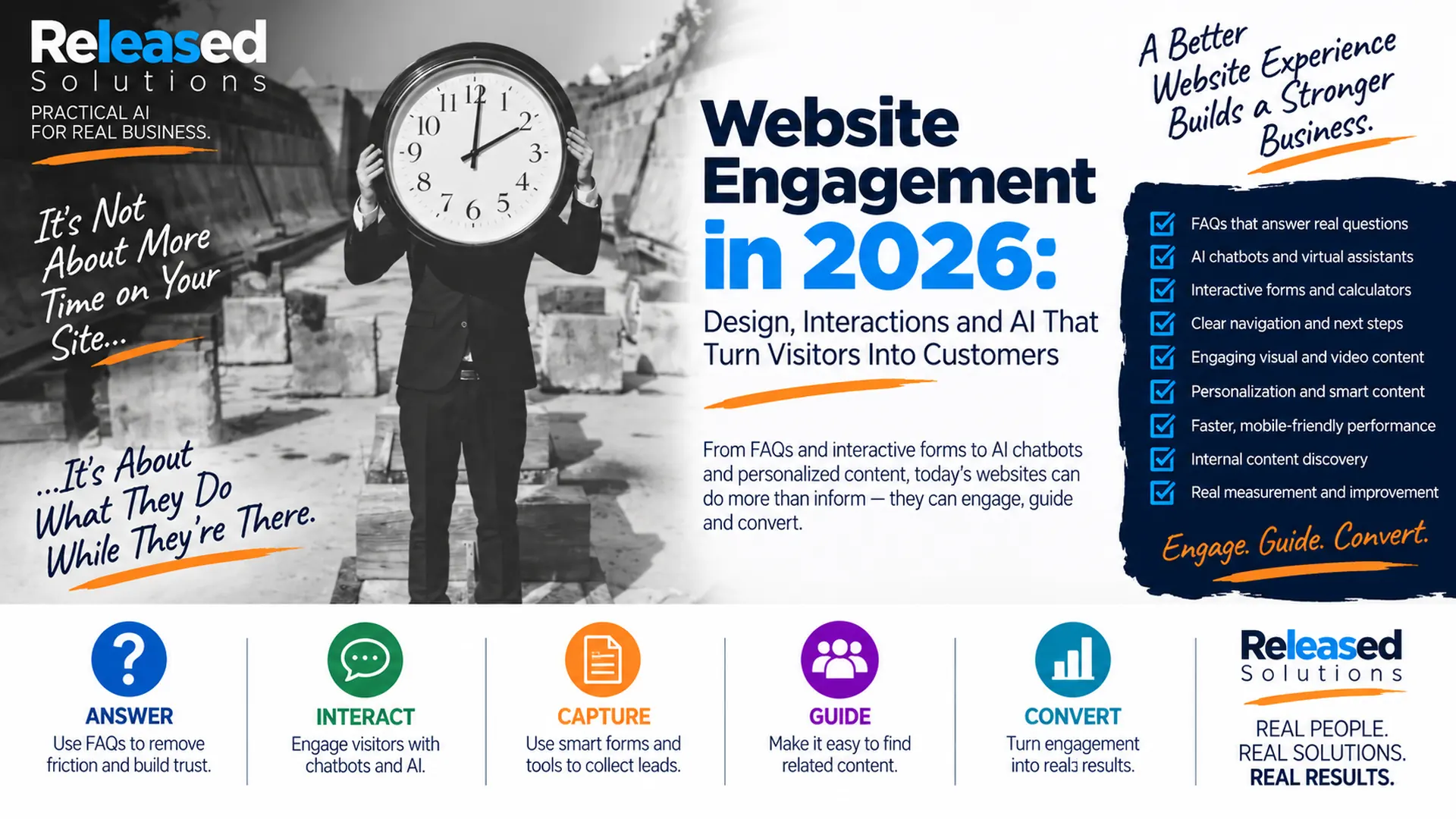

Website Engagement in 2026: 9 Ways to Turn Visitors Into Customers
When I originally wrote about increasing visitor time, time on the website was a useful way to think about engagement. I would frame it differently today.
A visitor spending six minutes on a website can be a good sign if they are learning, comparing services, using a tool or preparing to contact the business. It can also mean they are lost. A visitor who spends 45 seconds on a page, finds the exact answer they need and books an appointment may be far more valuable.
The modern question is not how do I keep people on my website longer. It is how do I help the right visitor get an answer, interact with the business and move toward the right next step.
My 2026 framework is: ANSWER → INTERACT → CAPTURE → GUIDE → CONVERT.

It is about what visitors accomplish while they are there. A short, useful visit can be more valuable than a long, aimless one.
Engagement Is Behavior, Not a Stopwatch
GA4 itself reflects this shift. Google Analytics 4 uses engaged sessions and engagement rate rather than relying on the old Universal Analytics bounce-rate model alone.
That is a product definition. It is not a business benchmark. Eleven seconds does not equal success: the meaningful outcome is what the visitor actually did.
Analytics metrics are signals. The business outcome matters more. For a service business, I may care about calls, forms, appointments, quote requests and qualified conversations. For ecommerce, I may care about product views, add-to-cart behavior, checkout and purchases. For content, I may care about deeper reading, internal navigation, newsletter signup, downloads and assisted conversions. Website engagement should help the customer accomplish something.
Behavior Over Time
Judging a visit by minutes on page is a proxy metric. Judge it by whether the visitor accomplished something.
Direction Over Depth
Engagement without direction can become entertainment. Every useful interaction should point at a next action that makes sense for the visitor.
Systems Over Widgets
FAQs, chat, forms, tools, navigation and analytics work together. Adding one plugin does not create engagement on its own.
ANSWER, INTERACT, CAPTURE, GUIDE, CONVERT
Nine Ways to Turn Website Visitors Into Customers
ANSWER: BUILD FAQS AROUND REAL CUSTOMER QUESTIONS
FAQs are one of the simplest engagement tools a business can improve. Good FAQs reduce uncertainty. They answer questions people would otherwise call, email or leave the website to research: pricing structure, service areas, appointment availability, what happens next, common objections, product compatibility, policies, turnaround times, insurance or payment questions and technical requirements. Do not create an FAQ section to stuff keywords. Use real questions, write direct answers and link to the deeper service, product or next action. That makes FAQs useful for people, traditional search and AI-driven discovery systems that need clear source content.
INTERACT: ADD CHATBOTS AND AI ASSISTANTS WHERE THEY SOLVE A REAL PROBLEM
Website chat has changed dramatically. A traditional chatbot might follow a decision tree: what do you need, choose a service, choose a location, leave your contact information. That can still work. AI assistants can go further when they are connected to reliable business knowledge: helping visitors ask questions in natural language, locate information, compare options, qualify needs and route conversations. See chatbots for small business for how the pieces fit together. AI is a coworker inside the customer experience, not a substitute for reliable business knowledge and human escalation.
CAPTURE: REPLACE GENERIC FORMS WITH USEFUL INTERACTIVE FORMS
A form can be more than Name, Email, Phone, Message. Modern forms can adapt: request a quote, check a service area, choose a location, select a service, schedule an appointment, upload a document or photo, answer qualification questions, calculate an estimate, complete an assessment or request a callback. Interactive forms reduce the back-and-forth after a lead arrives and improve routing. The rule is balance: collect enough information to make the next step useful. Do not create a 27-field interrogation when five questions will do.
GIVE VISITORS INTERACTIVE TOOLS, CALCULATORS AND ASSESSMENTS
Some of the most engaging website experiences are not articles at all. They are tools: cost estimators, ROI calculators, eligibility checks, product selectors, service-area tools, quizzes, assessments, comparison tools, configurators and appointment finders. A useful interactive tool gives the visitor a reason to participate and helps the business understand intent. Someone who completes a detailed calculator or assessment may be communicating far more than someone who simply viewed a page. Be honest about what the result represents: an illustrative estimate is not a binding quote.
GUIDE: MAKE NAVIGATION AND INTERNAL DISCOVERY OBVIOUS
Visitors should not have to understand your sitemap to use your website. Navigation should answer practical questions: where am I, what does this business do, where do I go next, how do I compare options, how do I contact someone, what else should I read. Internal links, related content, service cards, breadcrumbs, search, category pages and clear calls to action all help. This also supports discovery: see how people find your content for how internal structure helps search and AI systems understand the depth of the website.
USE VISUALS AND VIDEO TO EXPLAIN WHAT TEXT CANNOT
Some ideas are easier to understand when they are shown. A short demonstration can explain a process. A before-and-after example can show a result. A diagram can make a complicated service easier to understand. A real photograph can build trust. Video can answer a question in the owner's voice. The goal is not to fill every page with motion. Use visual content where it improves comprehension, trust or decision-making. Keep performance in mind: a giant autoplay video that makes the website painfully slow undermines the experience it was supposed to improve.
PERSONALIZE THE EXPERIENCE WHEN YOU HAVE A LEGITIMATE SIGNAL
Not every visitor needs the same experience. A returning customer may need support. A new prospect may need education. A visitor arriving from a specific campaign may need a landing page aligned with that offer. A known CRM contact may already be at a different stage of the relationship, and loyalty program members may deserve a different message. Personalization can make a website more relevant when the business uses signals responsibly. Do not make the website feel as if it knows more about the visitor than the visitor expected it to know.
MAKE THE WEBSITE FAST AND MOBILE FRIENDLY
Engagement cannot happen if the experience is frustrating. Google's current Core Web Vitals focus on loading performance, responsiveness and visual stability through LCP, INP and CLS. Those metrics are not the entire customer experience, but they are useful evidence about important parts of it. See Google PageSpeed test for how I think about performance without chasing the score. Mobile usability matters: buttons need to be usable, forms need to be practical, text needs to be readable, navigation needs to work and chat widgets should not cover the entire screen.
CONVERT: DESIGN EVERY USEFUL INTERACTION AROUND A NEXT STEP
Engagement without direction can become entertainment. A business website should make the next useful action clear. That does not mean putting BUY NOW after every paragraph. The next step depends on intent: read the related guide, view a service, compare options, ask the chatbot, use the calculator, check availability, download a resource, join the email list, call, request a quote, book an appointment or buy. See why digital ads do not convert for the pattern that happens when engagement never gets a meaningful landing.
An AI assistant needs approved source content, defined permissions, testing and clear human handoff. Its job is to help the visitor reach the right information or person faster: not to invent policies or pricing.
Five Interactive Tools Worth Building
These are patterns that consistently earn meaningful engagement. Pick one that fits the business and build it well.
| Interactive tool | What it does |
|---|---|
| Calculator | Estimates cost, ROI, payment or savings. Label illustrative results honestly. |
| Assessment | Diagnoses fit, readiness or need. Great for qualifying leads at scale. |
| Selector | Guides the visitor to the right product, plan or service. |
| Eligibility check | Confirms whether the business or product can help before a form is filled out. |
| Appointment finder | Answers "when and where" without a phone call. |
Every useful interaction should end at a clear, appropriate next step. Depth without direction is a bounce with better metrics.
Measure What Visitors Do, Not Just How Long They Stay
I would not eliminate engagement-time metrics. I would put them in context. In GA4, I want to understand engaged sessions, engagement rate and average engagement time, but I also want to understand which pages start valuable journeys, which FAQs lead to service pages, which forms are started and completed, which chatbot conversations produce useful outcomes, which interactive tools generate qualified leads, which internal links people use, where visitors abandon a process, which channels produce conversions and which AI referrals send visitors who actually take action.
ANSWER: give people clear answers to real questions. INTERACT: let them ask, explore and use the website instead of merely reading it. CAPTURE: collect the information necessary for a useful next step. GUIDE: make related content, services and actions easy to find. CONVERT: connect engagement to an appropriate business outcome.
That is engagement measured by what the visitor accomplished, not the stopwatch.
FAQs + AI Chat
Clear answers to real questions, plus AI assistants grounded in reliable business content.
Interactive Forms
Adaptive forms that qualify, route and reduce back-and-forth after the lead arrives.
Tools + Navigation
Calculators, assessments, selectors and internal links that turn browsing into progress.
Performance + Conversion
Fast, mobile-friendly pages that end at a clear, appropriate next step for the visitor.
The Takeaway
The goal is not to trap someone on your website for another three minutes. The goal is to make those minutes useful.
A modern small-business website can answer questions, host interactive tools, start conversations, qualify needs, personalize experiences, guide discovery and connect visitors to the business. FAQs can remove uncertainty. Interactive forms can reduce friction. AI assistants can help people find answers. Navigation can reveal the next useful page. Performance can keep the experience from falling apart. Analytics can show what actually works.
Replace "how do I increase visitor time?" with "what can the visitor accomplish while they are here?"
Want Your Website to Do More Than Sit There?
Released Solutions helps small businesses improve websites, forms, chat, AI, analytics, CRM and automation so visitors can find answers, take useful actions and become measurable business opportunities.
Want Your Website to Do More Than Sit There?
Released Solutions helps small businesses improve websites, forms, chat, AI, analytics, CRM and automation so visitors can find answers, take useful actions and become measurable business opportunities.
Ask what the visitor can accomplish. Design the site to help them do it.
Kenneth Durrum, Released Solutions